Skip to content
A clearer path from artwork to brand system.DESIGNED FOR DESIGNERS / 001

Ai

The branding workflow companion.
Right inside Adobe Illustrator.

From the first logo grid to the final handoff.
Speed is the benefit; creative control stays with you.
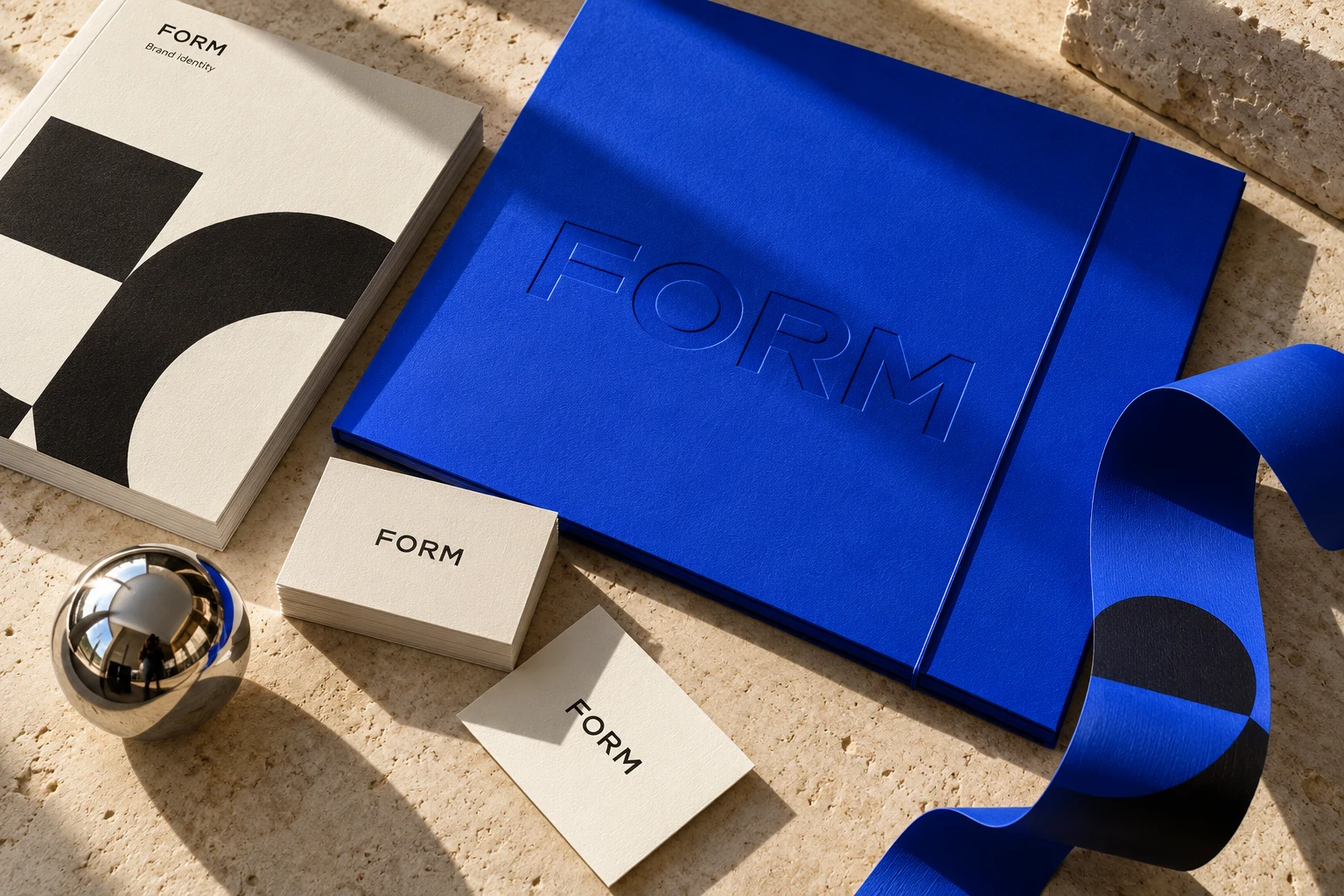
Fictional FORM identity: cobalt portfolio, textured ivory stationery and chrome on limestone
One idea.
An entire brand world.
↗
AI-generated example · Fictional FORM identity
YOUR IDEAS. FULLY REALISED.

Logo grids · Presentations · Guidelines · Mockups · Logo files · AI Studio

The workflow film / 1 min 52 sec

Less busywork.
More good work.

Watch one FORM logo become a whole brand system. Precise grids, editable presentations, campaign ideas and an organised handoff—with fewer repetitive steps between you and your best work.

Narrated product demo · Turn your sound on
STEP 01 / 07Capture your brandOpen video ↗

Animated product demonstration with recreated controls and real template output. Fictional FORM identity, AI voiceover and pre-generated imagery; not a live Illustrator recording.

Read the full walkthrough
  1. One logo. A whole brand world. Meet FORM. Capture your artwork once, and let Brand Reforge carry your logo, colours and typography through the work ahead.

  2. Show the thinking behind your mark. Build a grid, reveal the construction, and define clearspace. Keep the precision. Skip drawing every guide by hand.

  3. Now give that identity a stage. Choose a presentation style, select your pages, and watch your brand become a complete deck. Less rebuilding layouts. More time refining the idea.

  4. Turn your design decisions into a system. From a single brand board to a detailed guide, bring logos, colours and typography together. A consistent starting point, ready to make your own.

  5. Take the brand into the real world. Choose a direction, write your brief, and explore campaign imagery. Review the details, then place your favourites in Illustrator. New possibilities, without starting from scratch.

  6. Give the visuals a voice. Describe the copy you need, refine the draft, and place it as editable text. Your brand story, right where you are designing.

  7. And the handoff? Choose your logo variants, formats and sizes. Build an organised delivery folder, without repeating the same export over and over. Make the finish feel as good as the design. Brand Reforge. More room for your best work.

01 / The toolkit

Six tools.
One creative flow.

Keep the craft. Lose the repetitive work. Build from your actual vectors, colours and typography, with room to make every detail yours.

Show the thinking behind the mark.

Generate base, construction and clearspace grids from your actual paths, each on its own layer so you can refine it by hand.

  • Anchors, handles, outlines and guides, toggled one by one
  • A suggested grid matched to the geometry of your logo
  • Clearspace measured from your mark, not guessed
STEP 01 / 04Choose a base gridOpen video ↗

Edited UI walkthrough with sample data and an AI voice-over; not a live Illustrator recording.

03 / From idea to handoff

Your process.
With a head start.

Get set up ↗
  1. 01

    Capture the essentials

    Select your logo. Add your colours, fonts and brand details. One source for everything you make.

  2. 02

    Build the brand world

    Choose your grids, presentation style, guidelines or mockups. Preview, generate and refine in Illustrator.

  3. 03

    Make the handoff a pleasure

    Export organised files and portfolio imagery. Give your client a brand they can put to work.

A few good questions

The details,
made clear.

Still curious? Talk to us ↗

How does the free trial work?
Choose a plan and add a card at Stripe’s secure checkout. You pay $0 today and get the full plan for 3 days. About a day before the trial ends we email you a reminder with a one-click cancel link, and you can also cancel any time from Account › Billing. If you don’t cancel, your plan starts and the first payment is taken when the trial ends. Each account gets one free trial. How the trial works
Which plan is right for me?
Essentials covers the logo-to-handover basics: logo grids, logo files and presentations, on one Mac. Pro adds brand guidelines, mockups, AI Studio and cloud & sharing, on two Macs, and suits most working designers. Studio has every module on five Macs, plus priority email support and early access to new modules, for small teams.
Can I add a single module instead of upgrading?
Yes. On Essentials you can add Brand guidelines, Mockups, AI Studio or Cloud & sharing on their own, and any plan can add Extra Macs. Add-ons can be bought any time from Account › Billing and are charged pro rata for the rest of your billing period. If you need several, compare the total with Pro: it includes all of them, on two Macs.
Can I change plans later?
Any time, from Account › Billing. Upgrades take effect straight away and you pay the pro-rated difference for the rest of the period. Downgrades and removed add-ons leave a credit on your next invoice. You can also switch between monthly and yearly billing. Changes reach your activated Macs within minutes.
How many Macs can I use it on?
It depends on the plan: Essentials one Mac, Pro two Macs, Studio five Macs. Need one more? Add an Extra Mac for $3 a month or $30 a year. Moving to a new Mac? Remove the old one in Account › Macs, then activate the new one. Managing your Macs
Does it work offline?
Yes. Your licence is stored on your Mac and works without a connection. It refreshes itself whenever you are online and needs to check in at least once every 7 days, so connect now and then when you travel.
What do I need to run Brandreforge?
A Mac with macOS 12 Monterey or later (Apple silicon or Intel) and Adobe Illustrator 2025 (version 29) or later. One installer adds the panel and a small background helper; you don’t need Node.js or Terminal. Windows, Figma and Affinity aren’t supported. Download Brandreforge
Does Brandreforge redraw or trace my logo?
Grids, document layouts and logo exports use your captured vector paths. AI mockups use an optional image reference and can change lettering or proportions, so review the result before delivery. The Your photo workflow places your captured artwork onto an existing photograph.
Is my client work private?
Vector work stays on your Mac. Cloud backup is optional and stores only the brands you choose to back up. AI Studio sends your prompt, brand details and, if you tick the box, a logo image to the AI provider, and only when you click Generate.
How do I cancel?
Open Account › Billing and cancel in a couple of clicks. You keep access until the end of the period you’ve paid for, and you can resume any time before then. Cancel or resume a plan
Can I get a refund?
Your first payment can be refunded in full if you email support@brandreforge.com within 2 days of it, so 5 days from the day you start your trial. After that, payments are final: renewals and unused time aren’t refunded. Read the refund policy.
What will I see on my card statement?
Charges show as BRANDREFORGE.COM. Brandreforge is sold by Theepa Studio, which takes the payments through Stripe, so receipts and invoices carry that name.
Are updates included?
Yes. Every new feature and fix is included while your plan is active.
How can I pay?
Payments are handled by Stripe. You can pay with all major credit and debit cards, Apple Pay, Google Pay or Link. Prices are in US dollars, and tax may be added at checkout where it applies. Invoices are available from Account › Billing.
I’m stuck. Who do I talk to?
Email support@brandreforge.com and we’ll help you get unstuck. The help center covers setup, billing and the most common fixes.
Less busywork. More good work.

Your next brand
starts here.

Try Brandreforge free for 3 days

For Adobe Illustrator on macOS · See compatibility